A private, secure messenger. Only the people in a chat can read it.
No phone number, no ads, no tracking. A free public beta for iPhone, through Apple's TestFlight app.
Strand is on iPhone only for now. Open strand.chat on your iPhone to join.
Only the people in a chat can read it.
Messages, photos, calls and files are encrypted on your phone before they leave, with Messaging Layer Security. No phone number, no ads, no tracking.
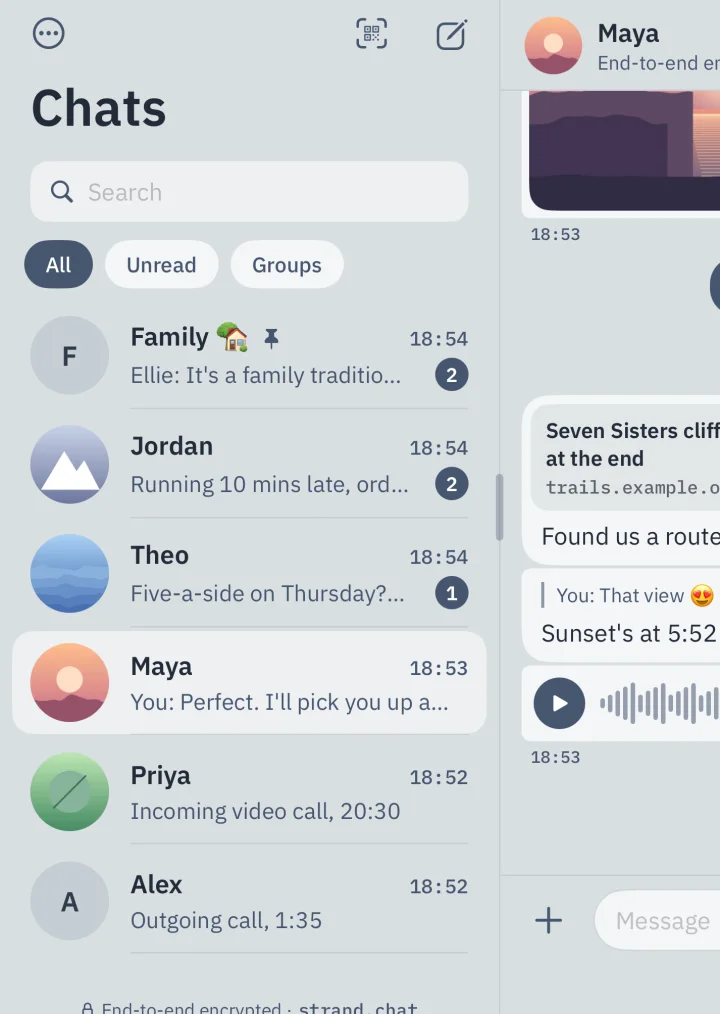
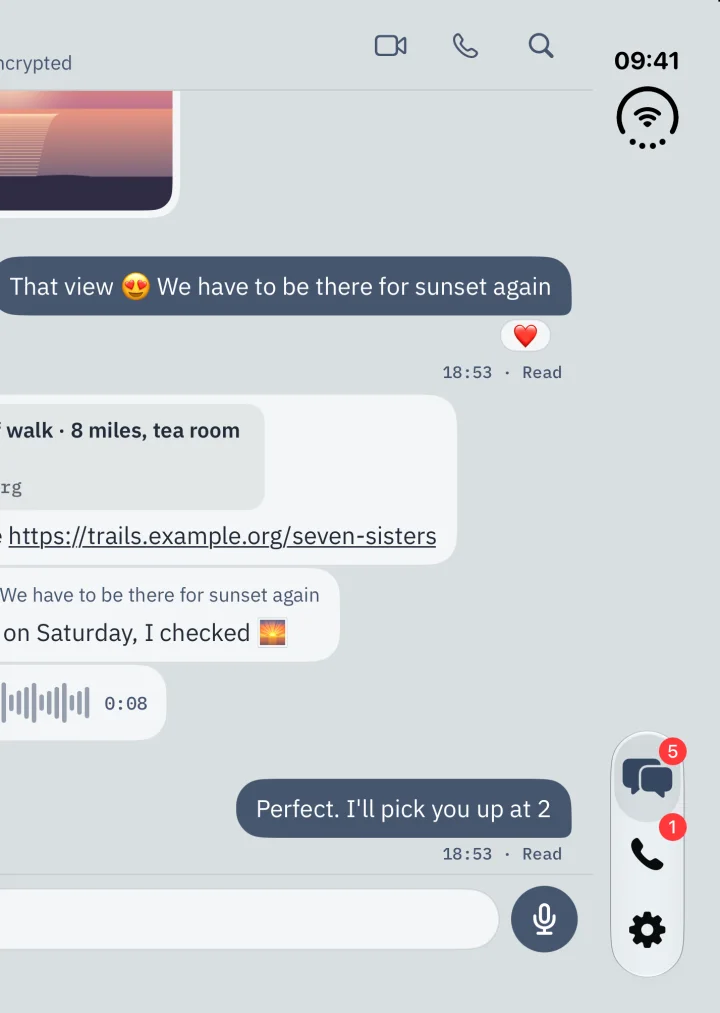
Open it out, and your chats sit beside the conversation.
Strand uses the whole screen: your chats down one side, the one you're reading on the other.
Video calls that keep your IP address to yourself.
Calls are end-to-end encrypted and relayed by default, so the person you call doesn't see your IP address. The call says whether it's Relayed or Direct.
Fold it shut, and it's a phone again.
Strand carries on, on the outer screen. On any iPhone it's the same app, and you can link an iPad or a second iPhone to it.
Sealed before it leaves your phone.
The server passes on data it can't read. Here's one message on its way to Maya.
sent 19:42
- 01
Encrypted on your phone, with keys only the people in the chat have.
- 02
The server sees when it was sent and how big it is. Never what it says.
- 03
Only Maya's phone can open it. Not Strand, and not anyone in between.
Everything you'd expect from a messenger, and nothing it shouldn't do.
The everyday things, on iPhone 18 Pro. Demo chats.
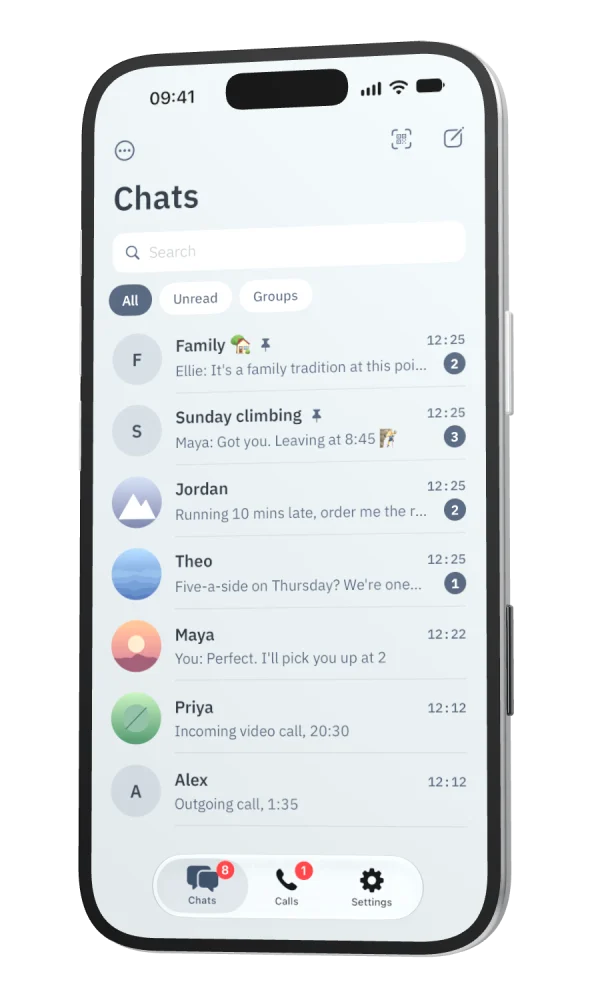
Your chats, kept the way you like.
Pin the ones that matter, archive the rest, and filter to Unread or Groups.
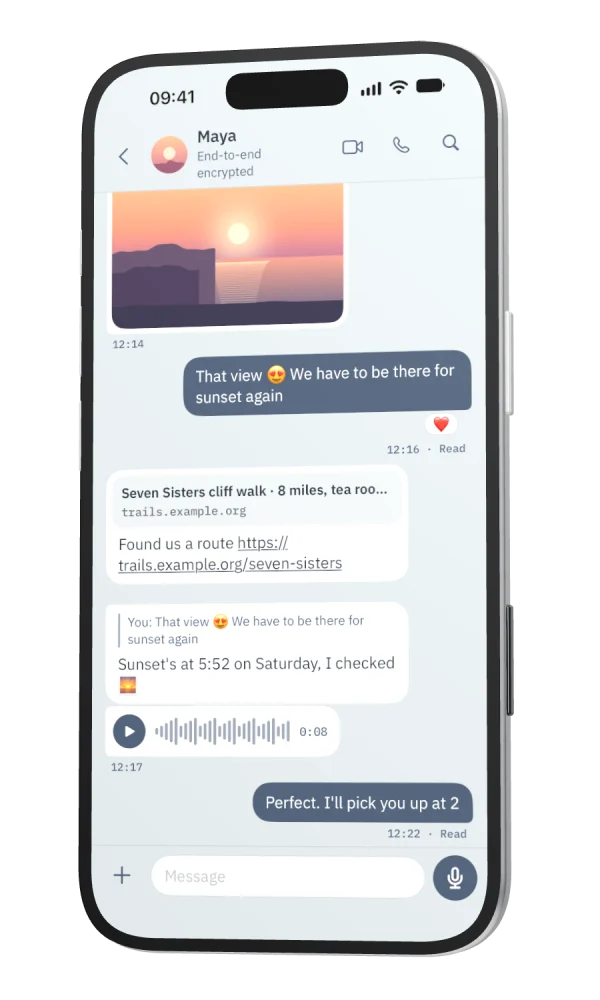
Photos, videos, voice notes, files and GIFs.
With replies, reactions, link previews, edits for 15 minutes and delete for everyone. Drafts are still there when you come back.
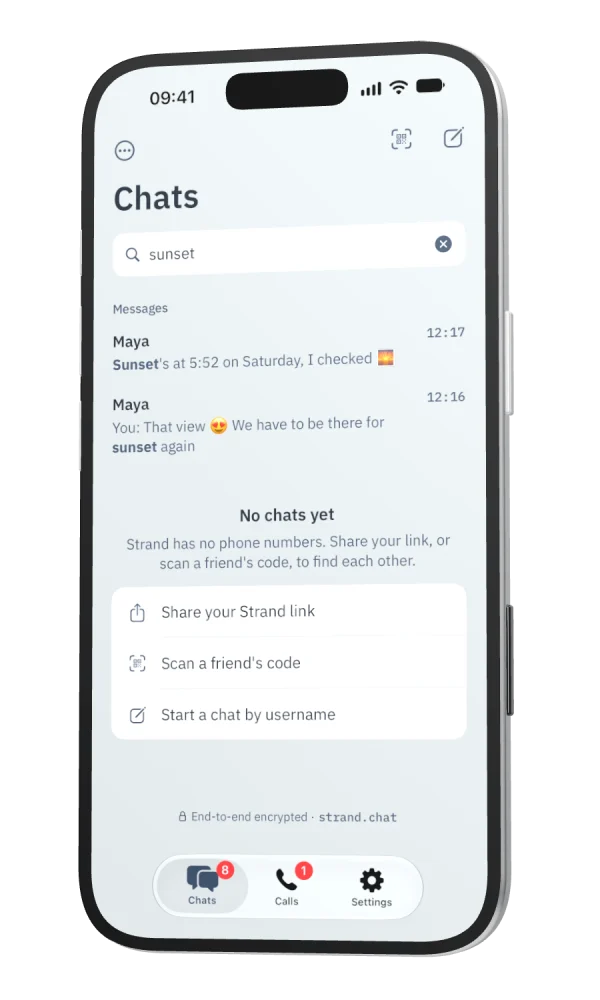
Search everything you've said.
Search runs on your phone, inside its encrypted database. The server has nothing to search.
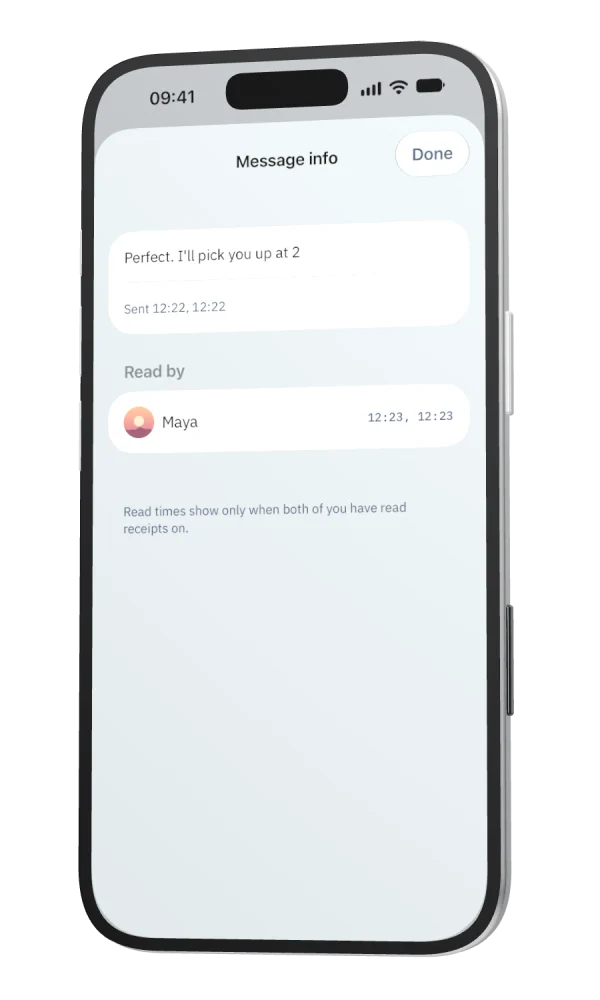
Message info.
Press and hold your message to see when it was delivered and read. Read times show only when both of you have read receipts on.
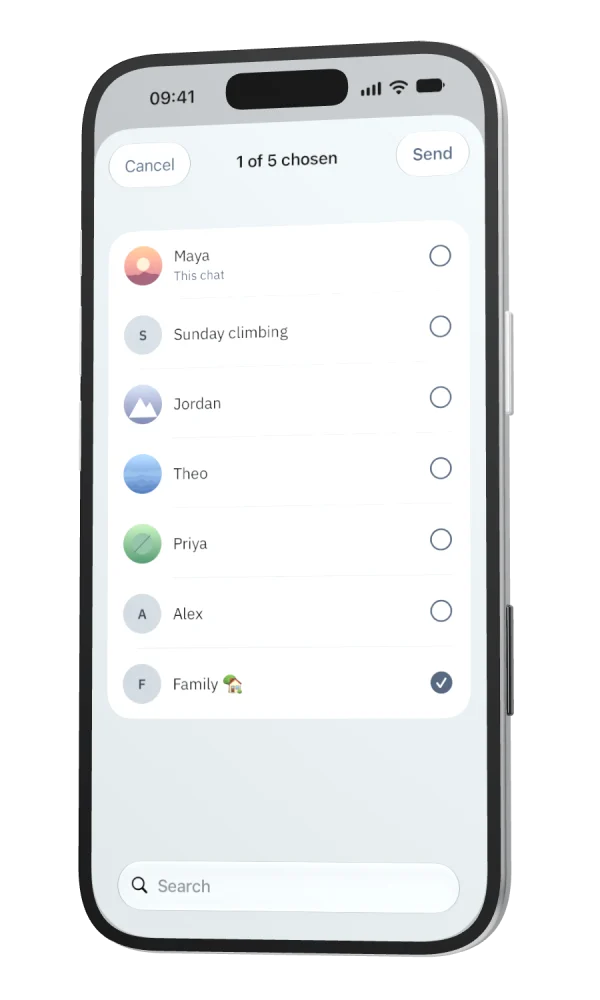
Forward to other chats.
Press and hold a message, choose Forward, and pick where it goes.
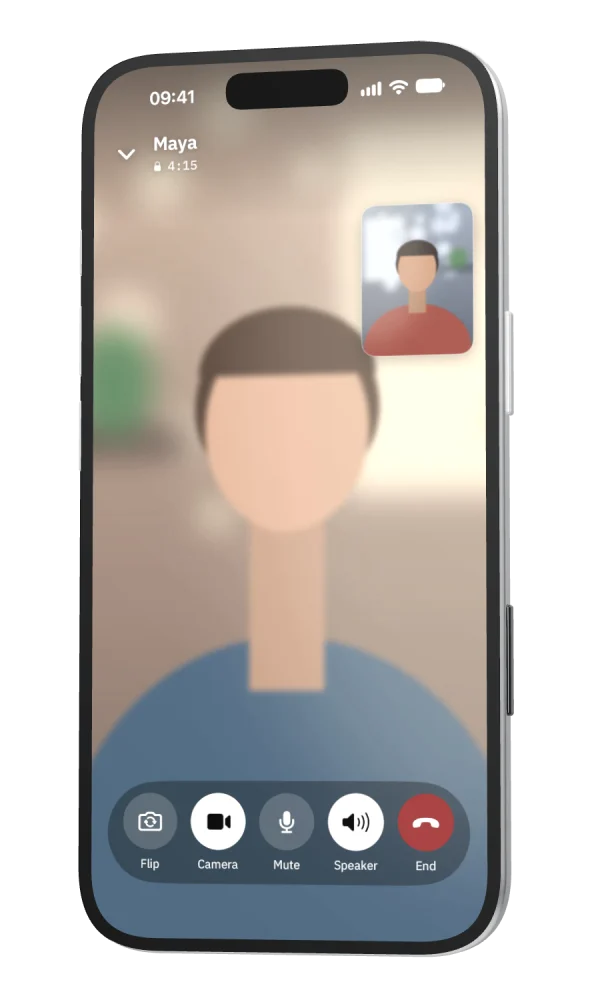
Video calls.
End-to-end encrypted and relayed by default, with picture in picture, call waiting and a Calls tab. Group calls are coming.
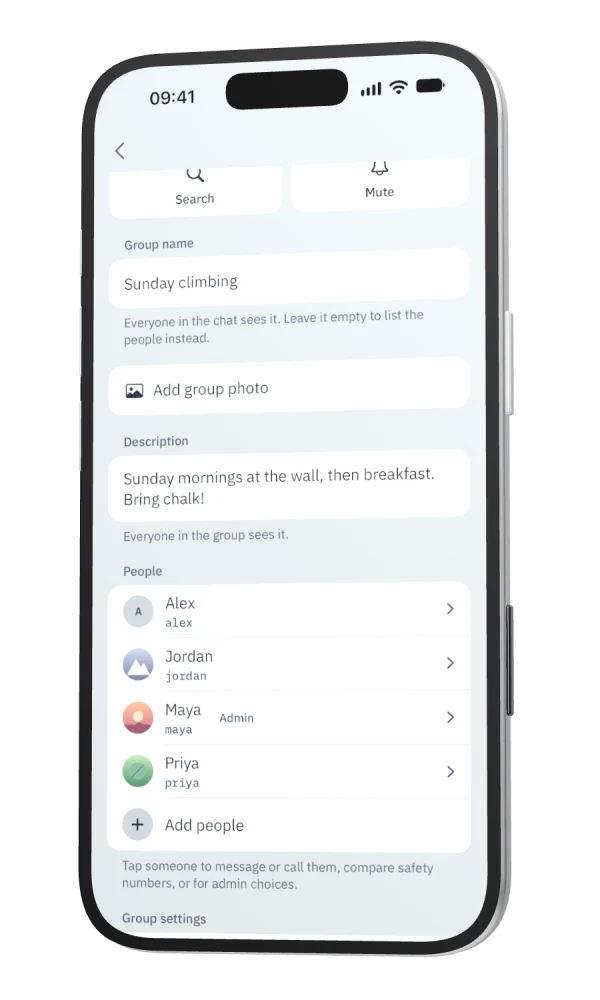
Groups, with admins you can trust.
Admins and permissions are checked by every member's app, so the server can't act as an admin.
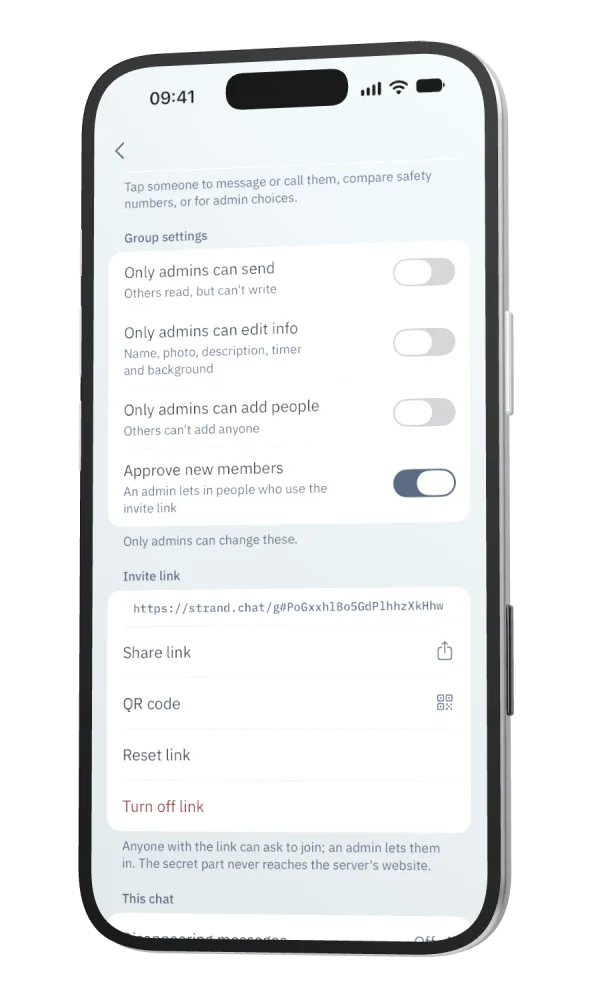
Invite links and QR codes.
Admins can ask to approve people who join by link. The preview someone sees first can only be read with the link.
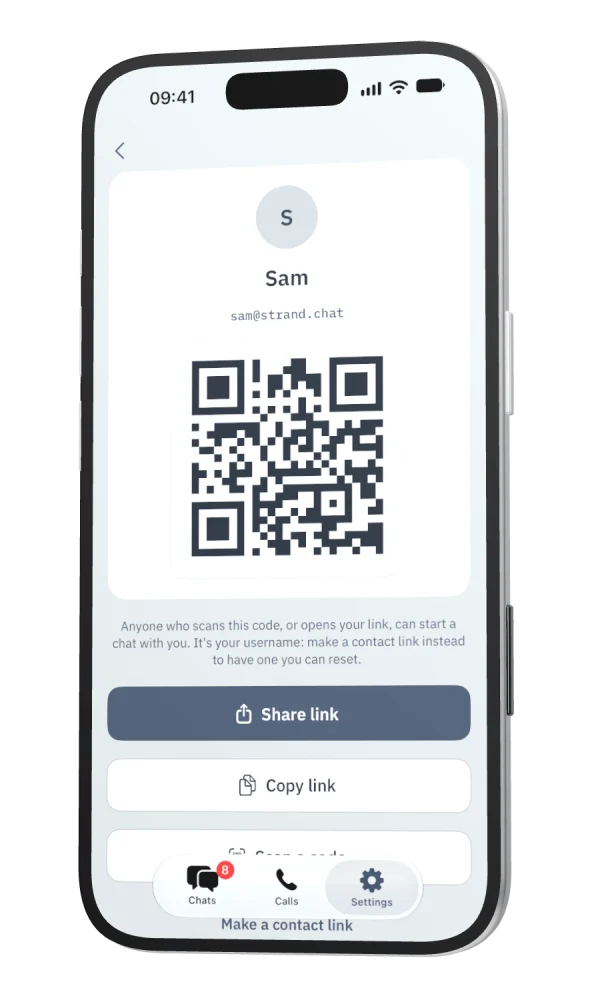
Your code, and a link you can reset.
Share your code to start a chat. Or make a contact link: it works even with Find me by username off, and you can reset it.
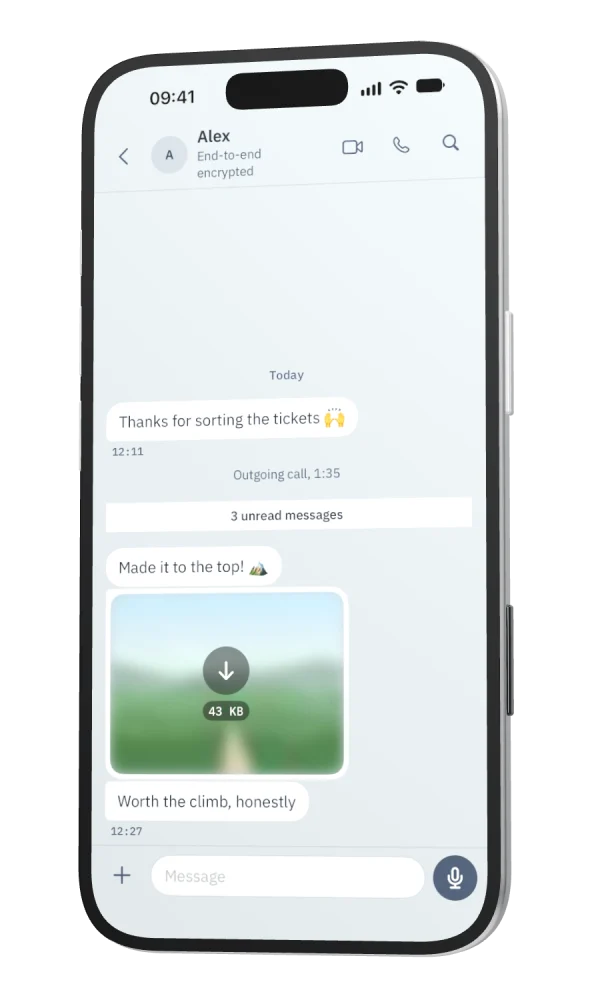
Previews that give nothing away.
Attachments are padded, so their size only tells the server a rough range. Photos and videos sent as media lose their location before they're sent; files sent as documents go as they are.
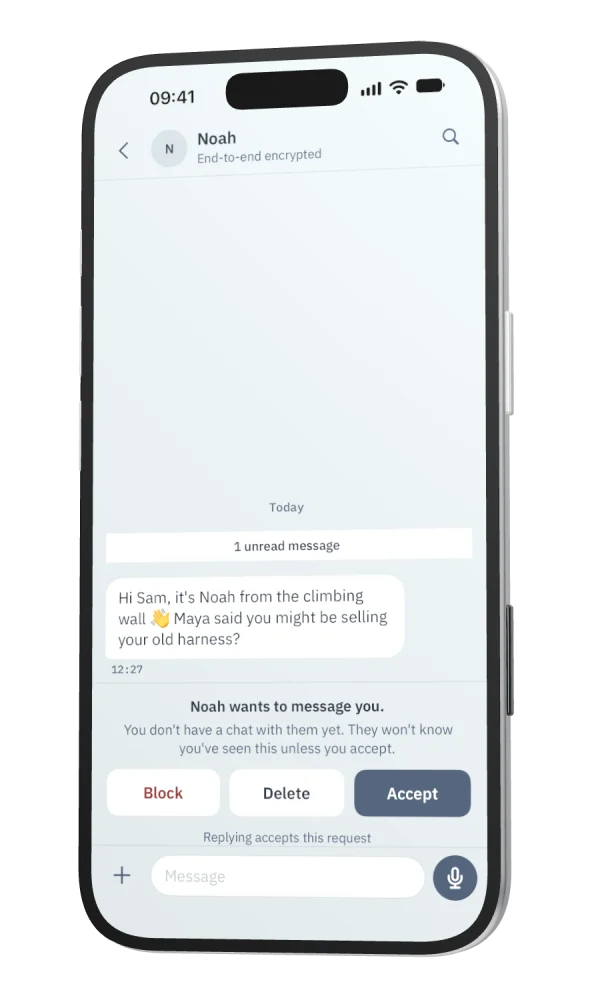
Message requests.
Someone new waits on their own screen. Nothing loads, and they can't tell you've read it, until you accept.
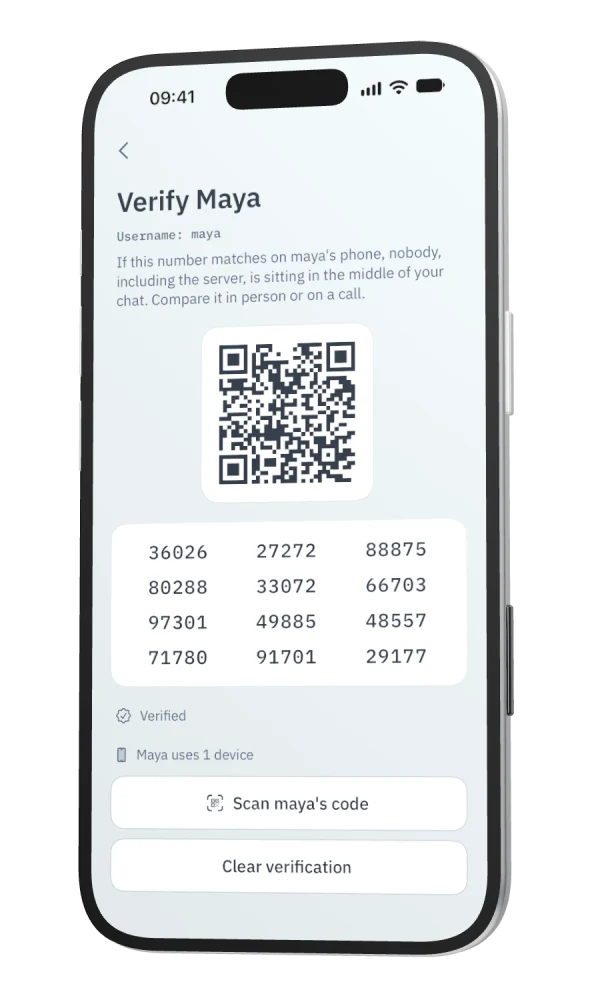
Check who you're talking to.
Compare a safety number in person, or scan each other's code. If it ever changes, Strand tells you.
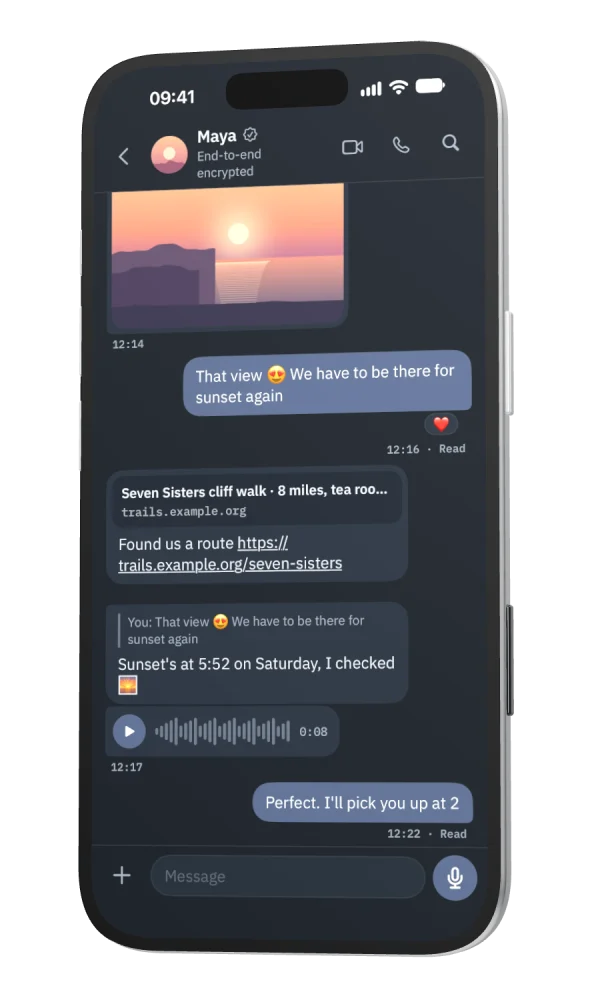
And a dark theme.
The same calm look, for when the lights are down.
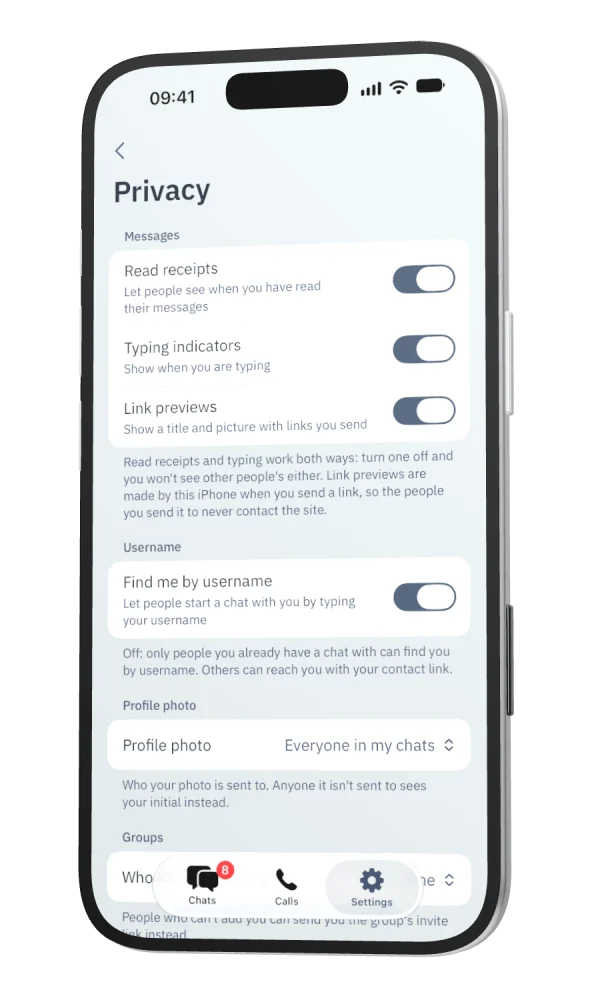
You decide what other people see.
Read receipts, typing, your profile photo, who can add you to groups, Find me by username, and an app lock.
Everything in the beta.
The everyday things you'd miss, and the private ones you'd hope for.
Messages
- Pin, archive and mark chats unread, with Unread and Groups filters.
- Replies, reactions and forwarding.
- Edit a message for 15 minutes after sending. Everyone can see what it said before.
- Delete for everyone.
- Sent, Delivered and Read under your messages, and Message info.
- Search all your messages, on your phone, inside its encrypted database.
- Disappearing messages, chat by chat.
- Drafts that are still there when you come back.
Calls
- Voice and video calls, end-to-end encrypted.
- Relayed by default, so the people you call don't see your IP address. Each call says Relayed or Direct.
- Picture in picture, call waiting and a Calls tab.
- Group callsComing
Groups
- Admins and permissions, checked by every member's app, so the server can't act as an admin.
- Descriptions and photos, encrypted like messages.
- Invite links and QR codes, with approval if you want it.
- A preview of the group that only someone with its link can read.
Photos and files
- Photos, videos, voice notes, documents and GIFs.
- Blurred previews and sizes travel inside the encrypted message.
- Attachments are padded, so their size only tells the server a rough range.
- Location is taken out of photos and videos sent as media; files sent as documents go as they are.
- Share into Strand from any app.
- GIF search through Strand's server, so KLIPY never sees who's searching.
Privacy and your account
- No phone number: a username, a password, and an email address for codes.
- Find me by username, which you can turn off.
- A contact link and QR code you can reset at any time.
- Who can add you to groups, and who sees your profile photo.
- Read receipts and notification previews, for every chat or one at a time.
- Message requests from people you don't know.
- Safety numbers and QR verification.
- App lock, with Face ID or your passcode.
- A recovery key, two-factor authentication, and an encrypted daily chat backup.
- Linked devices: your phone, plus an iPad or a second iPhone.
Coming from WhatsApp?
Most of it works the way you're used to. Here's how the things you do there go in Strand.
Getting started
An email address and a password, not a phone number.
Install the beta, then choose a username (it stays yours, so pick one you'll keep). Enter the code we email you, and choose a password. Save the recovery key Strand offers somewhere other than your phone. Then share your contact link with the people you want to talk to.
Adding someone
A username, or a link you can reset.
Strand doesn't use phone numbers or your contacts, so nobody is matched for you. Share your username, or your contact link or QR code, and they start a chat with it. A first message from someone new waits as a request. Turn off Find me by username and only people who already chat with you, or have your link, can find you.
Pinning and archiving
The same here: pin it, archive it, or mark it unread.
Pinned chats stay at the top, archived ones wait out of the way, and the Unread and Groups filters at the top of your chats narrow the list.
Forwarding
Press and hold a message, then Forward.
Pick one chat or more and it goes there, end-to-end encrypted for the people in each. Reply, react, edit and delete for everyone are in the same menu.
Ticks and Message info
Sent, Delivered and Read, in words.
Your messages say how far they've got. Press and hold one and choose Info for the times. Read receipts can be off for everyone or for one chat, and read times only show when both of you have them on.
Group links
Invite links and QR codes, with approval if you want it.
Admins can share a link or a code, and choose to approve people who join by it. The preview someone sees first (the group's name, photo and size) is encrypted so only people with the link can read it. The server can't.
Video calls
Voice and video calls, with a Calls tab.
One-to-one calls, end-to-end encrypted, with picture in picture and call waiting. They're relayed by default, so the people you call don't see your IP address. Group calls are coming.
Disappearing messages
Set it for any chat.
Each phone deletes the messages, with their photos and files, when the time's up. As in any messenger, someone can still copy a message before it goes.
Linked devices
Your phone, plus an iPad or a second iPhone.
Link them in Settings → Linked devices. Each one has its own keys and can read and send in all your chats until you unlink it. There's no Mac or web app yet.
Chat backup
A daily backup only your password or recovery key opens.
Once a day on Wi-Fi, encrypted with a key that only your password or recovery key unlocks. Keep your recovery key somewhere safe, and a forgotten password won't cost you your history.
Old chats and Android
Your old chats stay in WhatsApp.
Strand can't bring them across. It needs an iPhone with iOS 18 or later (an iPad or a second iPhone can be linked to it), and there's no Android app yet, so friends on Android can't join for now. More answers are on the support page.
What the server can and can't see.
No messenger can hide everything from the server that delivers it. Here is what Strand's can know.
It can see
- Your username and email address, and the devices signed in to your account.
- Who is in which chat, and each group's admins and settings, so it can deliver messages and check changes against the same rules the apps do.
- When messages are sent, and how big they are. Attachments are padded, so a file's size only tells it a rough range.
- Your IP address while you're connected.
- That a call is being set up, so it can ring the other phone. It keeps no list of calls.
- Who you've blocked, and the messages in a report, if you choose to send one.
- That you have a chat backup, how big it is and when it was made.
- Whether Strand is open on your phone right now, so it can hold back alerts you'd see anyway. It keeps no history of this.
It can't see
- What you write, or what's in your photos, videos, voice notes and files.
- Your reactions, replies and edits.
- Your name and profile photo, without your password or recovery key.
- Group names, photos and descriptions, or what an invite link's preview says.
- What's said or shown on a call.
- What's in your chat backup, without your password or recovery key.
And it can't forge a message or make itself a group admin: every member's app checks.
Someone holding the server's data could still try to guess your password, one slow guess at a time, so use a long password you don't use anywhere else. More in the privacy policy.
Calls go through Strand's relay unless you turn that off, so the people you call don't see your IP address; the relay passes on encrypted audio and video it can't see or hear. You choose who can find you by username, add you to groups and see your profile photo, and whether read receipts are on.
It also keeps short-lived records to limit abuse, such as how many sign-in codes an address has asked for. The full detail, and how long each thing is kept, is in the privacy policy.
Your own server, soon.
you@your.domain
Strand is built so a family, a club or a company can run its own server, with addresses like you@your.domain. Self-hosted servers are coming. Until then, everyone meets at strand.chat.
Try it on iPhone.
Join the iPhone betaFree, through Apple's TestFlight. For iPhone and iPhone Duo with iOS 18 or later, and an iPad linked to your phone. Coming to the App Store.
The link opens TestFlight. If you don't have it yet, it shows you how to get it from the App Store, then you join the beta from there.

Not on an iPhone? Strand is on iPhone only for now, with no Android app yet. Scan this with your iPhone's camera to open the beta there.